Guides / How Many Tables to Play
How Many Online Poker Tables Should You Play at Once?
By Push Fold TrainerPublished Updated How these ranges are solved
The right number of tables depends on two things: whether you're already winning, and how many decisions you can handle at once without rushing them. Watching someone on Twitch play twelve tells you about their limit. Yours is easier to find by adding tables one at a time.
Why play more than one table?
If you're a winning player, more tables means more hands per hour, and more hands per hour usually means more money per hour.
The cost is attention. With two or three tables open you'll miss some reads, take less time on close spots, and make a few more mistakes. Your win rate per hand (BB/100 in cash games, ROI in tournaments) will usually drop a bit. What matters is whether the extra volume makes up for it.
Here's a simple example with made-up numbers:
| Tables | Hands per hour | Win rate | BB per hour |
|---|---|---|---|
| 1 | 75 | 10 BB/100 | 7.5 |
| 2 | 150 | 8 BB/100 | 12 |
| 2 | 150 | 4 BB/100 | 6 |
In the second row, the player wins less per hand and still earns more per hour. In the third row, the win rate fell so far that the extra table cost them money. Most players land somewhere between those two rows, and the only way to find out where you sit is to try it and track your results.
This also works in reverse. If you aren't profitable yet, more tables just means losing faster. Get your one-table game to a winning place first. If you play tournaments, a good place to start is the short-stack spots that come up every session: see when to shove in a poker tournament.
If you've never multitabled, start with two
If you've only ever played one table, open a second on an ordinary night and stop there for the session. Keep the buy-ins and formats you already know. By the end of the night you'll have a much better idea of whether a third is realistic.
The tricky moment usually comes about an hour in. You've folded nine hands in a row, a $5 tournament is about to start, and you've barely touched your time bank. Another table looks easy. Before you register, think back to the busiest minute you've played so far tonight. Would you have wanted one more hand to deal with then?
How to tell you've added too many
Picture this. You're on the turn in the $3 tournament, and your opponent bets small after checking the flop. While you're working out what that line means, the $5 table asks you to act. You fold there, come back and call, and a few seconds later realize you never decided what you'd do against a river bet.
You can be on too many tables without ever timing out. After a session, ask yourself three questions:
- Did you know how each pot got to you? Having to piece a hand together now and then is normal. If you keep arriving at pots with no idea who raised, hold off on adding a table.
- Did one table change a decision at another? The hand to look for is the one you folded because a clock was ticking somewhere else, when you really wanted a few seconds to think about raising.
- What were you doing while your time bank ran down? Thinking through a close spot is a fine use of it. Dragging a lobby window out of the way points to a setup problem.
Table management software makes this much easier
A lot of multitabling trouble comes from the screen rather than the poker. Tables pile on top of each other, one tournament hides behind another, and you spend your time bank finding the right window.
The first fix is to give every table a fixed spot. You can do this by hand: open each table, drag it into place, and check from your normal seat that you can see every bet amount and every set of action buttons. The catch is that you have to redo it every session, and new tournaments open wherever the client puts them.
Table management software handles that for you. Jurojin is one example. You build a layout with a slot for each table, save it, and new tables drop into those slots as they open.
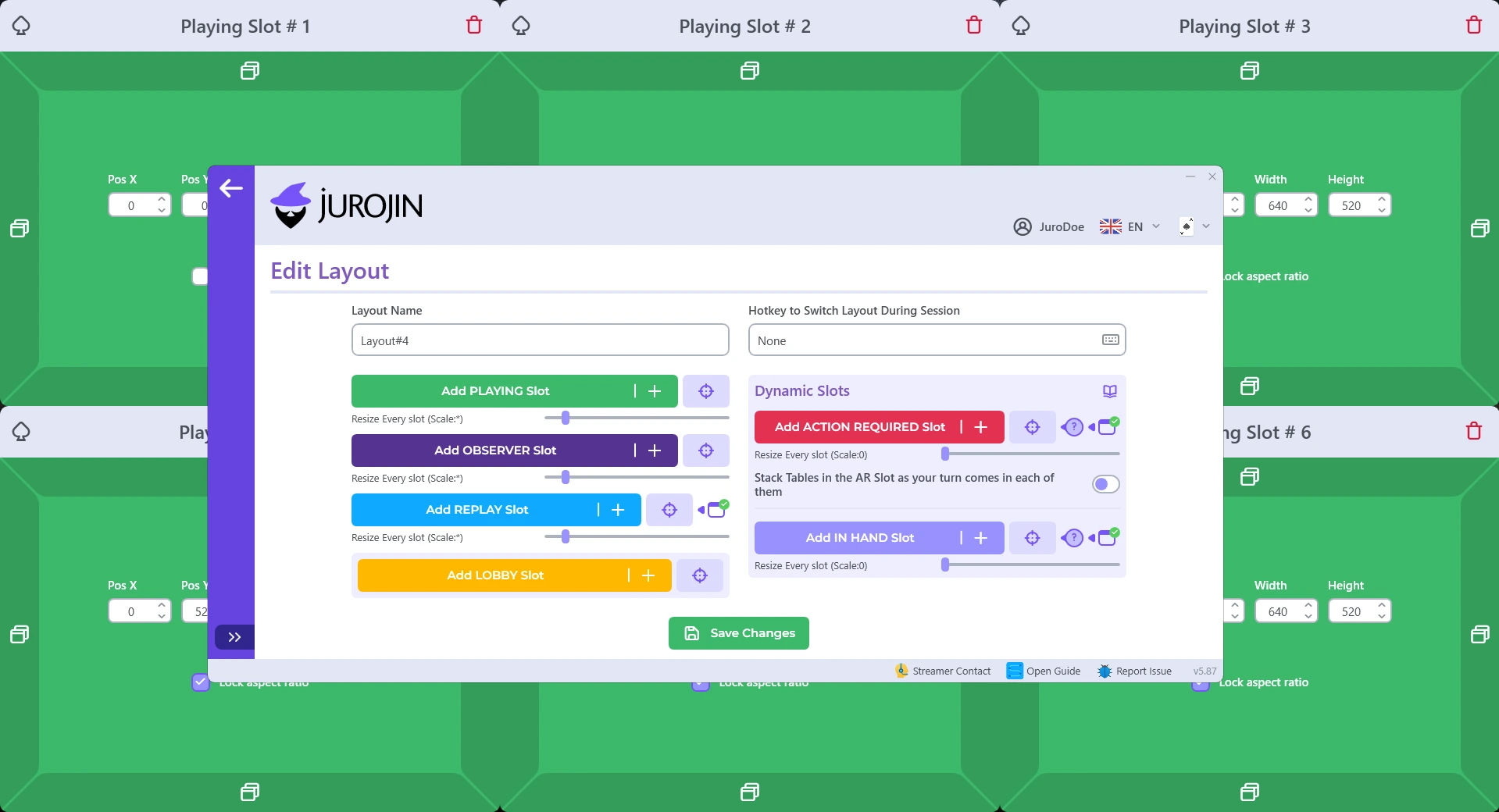
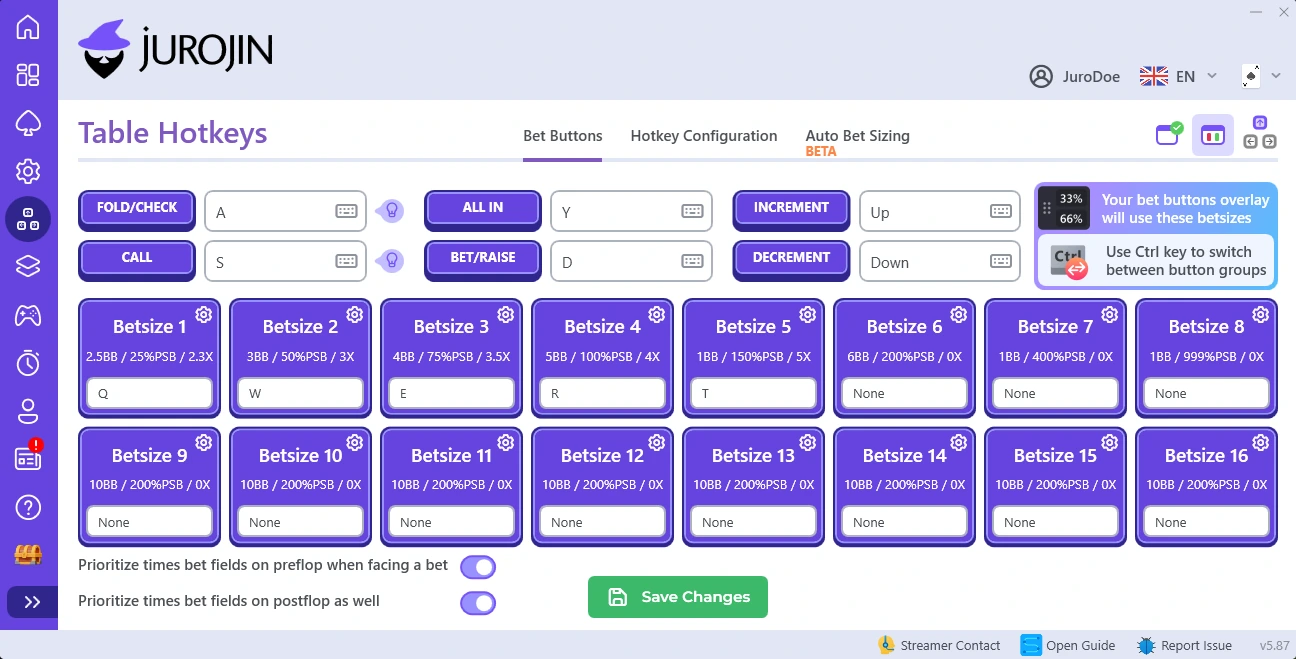
It also has hotkeys for fold, call, raise and preset bet sizes, so you can act without hunting for the button on each table, plus optional overlays that show numbers like pot odds and stack-to-pot ratio on the table.
Free for microstakes players
Jurojin offers a free version for microstakes players, including multi-table tournaments with buy-ins up to and including $5, with some feature limits. You get one saved layout on supported rooms. Dynamic slots (such as a slot that brings forward whichever table needs you to act), automatic layout switching and anti-sitout are paid features.
Whatever you use, play the same number of tables again after changing your layout. If everything is easy to see and you're still clicking around just to get back to a hand, drop a table next session.
When to add another table
Add one when you've played a few sessions at your current number and can remember a busy stretch where you still had time for every decision. Change one thing at a time. Going from two regular tournaments to two regulars plus a turbo changes both the table count and the pace.
Keep an eye on your results as you go. If your hourly rate climbs, the extra table is paying for itself. If your win rate drops enough that your hourly rate falls too, go back to the number that was working.
You can change the number during a session as well. Say you're playing two tournaments and bust one just as you reach the final two tables of the other. Half your screen is free, and you may want to watch every hand now, including the ones you fold, because the short stack is about to take the blinds. If that's the tournament you care about, leave the lobby closed. Late in a tournament, payouts change the math too; see what ICM is.
Try this next session
Pick a starting number and write down one hand where another table interrupted you. After the session, replay it and ask what you'd have done with ten more seconds. If a clear answer comes to mind, give yourself those seconds next time, either by playing one fewer table or by fixing whatever slowed you down.
Short-stack decisions are the ones that most often get rushed when you're on several tables. If you want them to feel automatic, you can practice push/fold spots for free.
See new guides first in Google
Add Push Fold Trainer as a preferred source and Google shows our new articles more often in Top Stories.
Related guides
- 2.1When to Shove in a Poker TournamentHow your stack and position decide when to go all in, with every 6-max seat's shove percentage from 4bb to 15bb and why waiting too long costs you fold equity.
- 4.2Push/Fold Strategy for Low StakesDoes push/fold work when nobody at your table plays GTO? Yes, but only if you adjust in the right order. The three-step method, with the solved charts at each stage.
- 4.1What Is ICM? A Guide to the Independent Chip ModelWhat the Independent Chip Model is, why a tournament chip's value is variable rather than fixed, and how that makes correct play tighter in some spots and far more aggressive in others.